
Join the waitlist for macOS · Windows and Linux coming soon
Turn your computer downtime into rewards.
SparkCatcher puts spare CPU and GPU capacity to work on AI inference tasks for the ZeroGPU network. You earn SparkPoints for verified completed work, and redeem them for gift cards.

Redeem SparkPoints for gift cards. 1,000 SparkPoints = $1.00 USD. (or equal value in other currencies) SparkPoints have no cash value and can't be transferred. Rewards aren't guaranteed and depend on task availability.
Gift card availability may vary by location.
How it works
Catch SparkPoints in four simple steps.
- 01
Join the waitlist
Enter the email address on your Apple ID and we'll email you when a spot is open.
- 02
Install when your place is open
Create an account in the app. SparkCatcher runs as a normal user process. It never asks for an administrator password, and macOS will show a login-item notice — that is expected.
- 03
It scales with your machine
It may vary how much compute SparkCatcher uses. It backs off when you are using the Mac, when the machine is warm, when fans spin up, during quiet hours, on battery, and while you are gaming.
- 04
Redeem verified SparkPoints
Completed inference tasks are checked and verified work becomes SparkPoints, which you can redeem for a variety of gift cards — not cash.
SparkPoints are earned only for verified completed tasks. Rewards aren't guaranteed and depend on network demand.
SparkCatcher is not running all the time. The App may use more spare capacity when the machine has room, and less when you need it more. You can choose a stricter setting that only catches when you completely step away.
Safety and privacy
Quietly magical. Boringly safe.
SparkCatcher is built to use spare compute, not your files. You stay in control from the app and the menu bar.
No file access
SparkCatcher reads a hardware specification and runs a short benchmark. It does not scan, open, or upload your files.
No administrator password
The App runs in your user session. SparkCatcher is not a system service.
Pause anytime
Pause from the app or the menu bar. Defaults include pause on battery and pause while gaming.
Battery-aware
Pause on battery is on by default. You can change it.
No silent install
There is no hidden or remote-install path. You can see SparkCatcher in the menu bar while it runs, and uninstalling removes it.
No cash, no transfers
SparkPoints redeem for gift cards for a specific merchant.
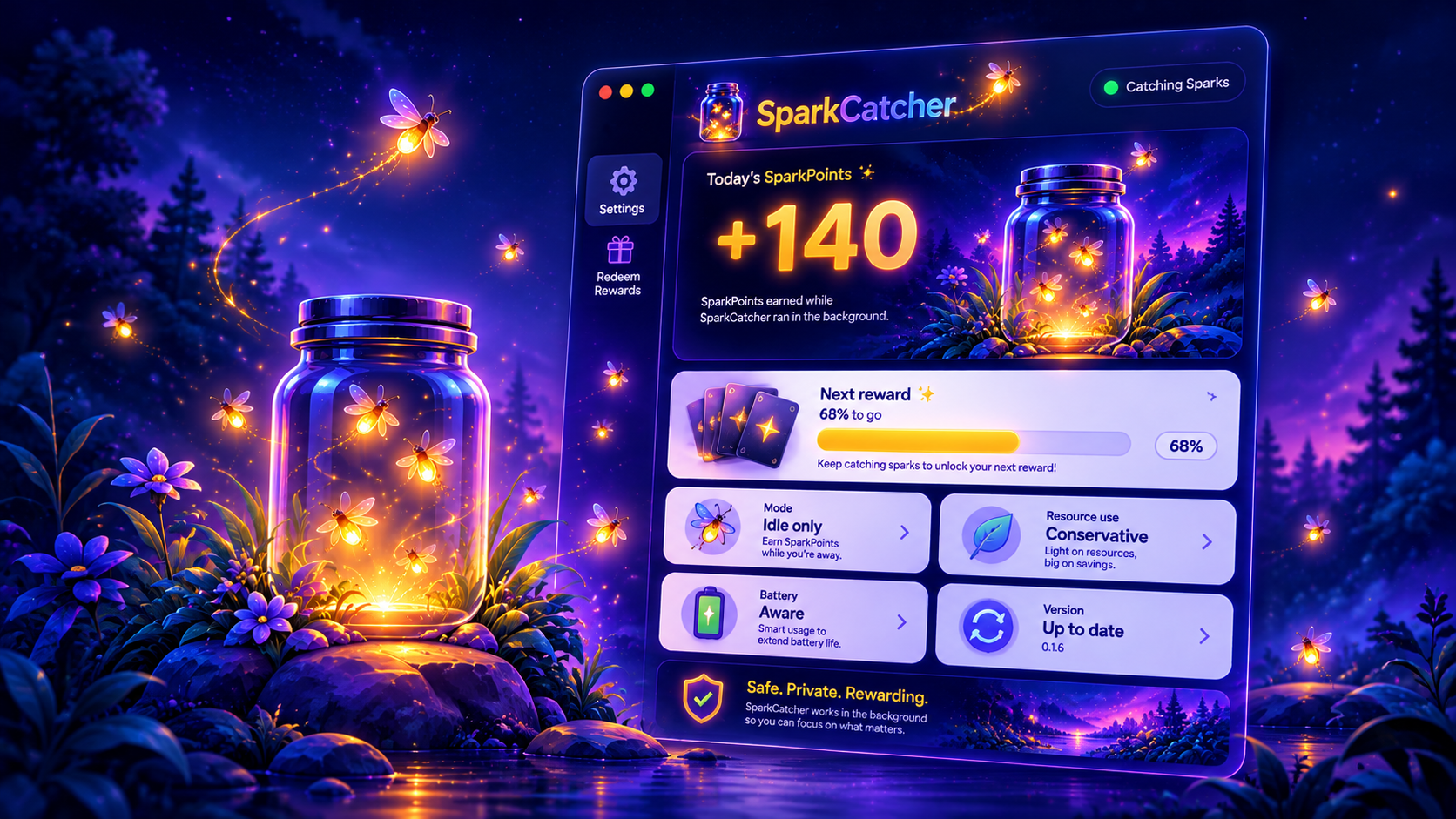
The window
A simple view of what matters.
The window shows the SparkPoints credited, progress toward the next card, and the controls you set.
- Status
- Catching, waiting or paused.
- When it runs
- You choose. The default uses spare capacity and backs off when you need the Mac.
- Battery
- Pause on battery is on by default.
- Rewards
- Redeem gift cards when you reach 25,000 SparkPoints.
Get started
Ready to catch your first rewards?
Enter the email address on your Apple ID, and we'll let you know when a spot is open!